Lending has three parts: pick the reader, add the books, and confirm. You can lend several books to one reader in one go. The reader has to be in your library first, so add them before you start if they're new.
Pick the reader
Open the Dashboard and select Lend a Book (number 1 in the picture). You can also select Give Book on the Circulations page.

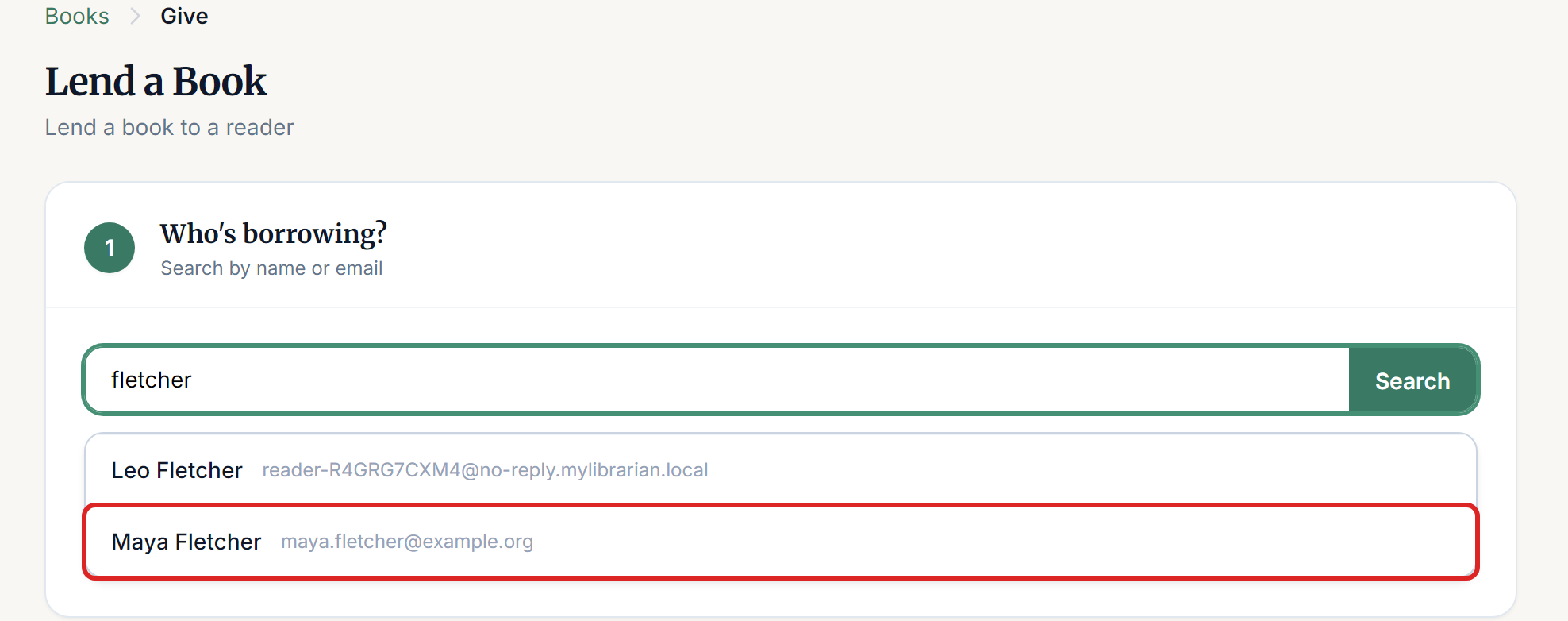
Under Who's borrowing?, type part of the reader's name or email and press Enter. Select the right person from the list. Take care with families, because a search for a last name can show several people.
Add the books and confirm
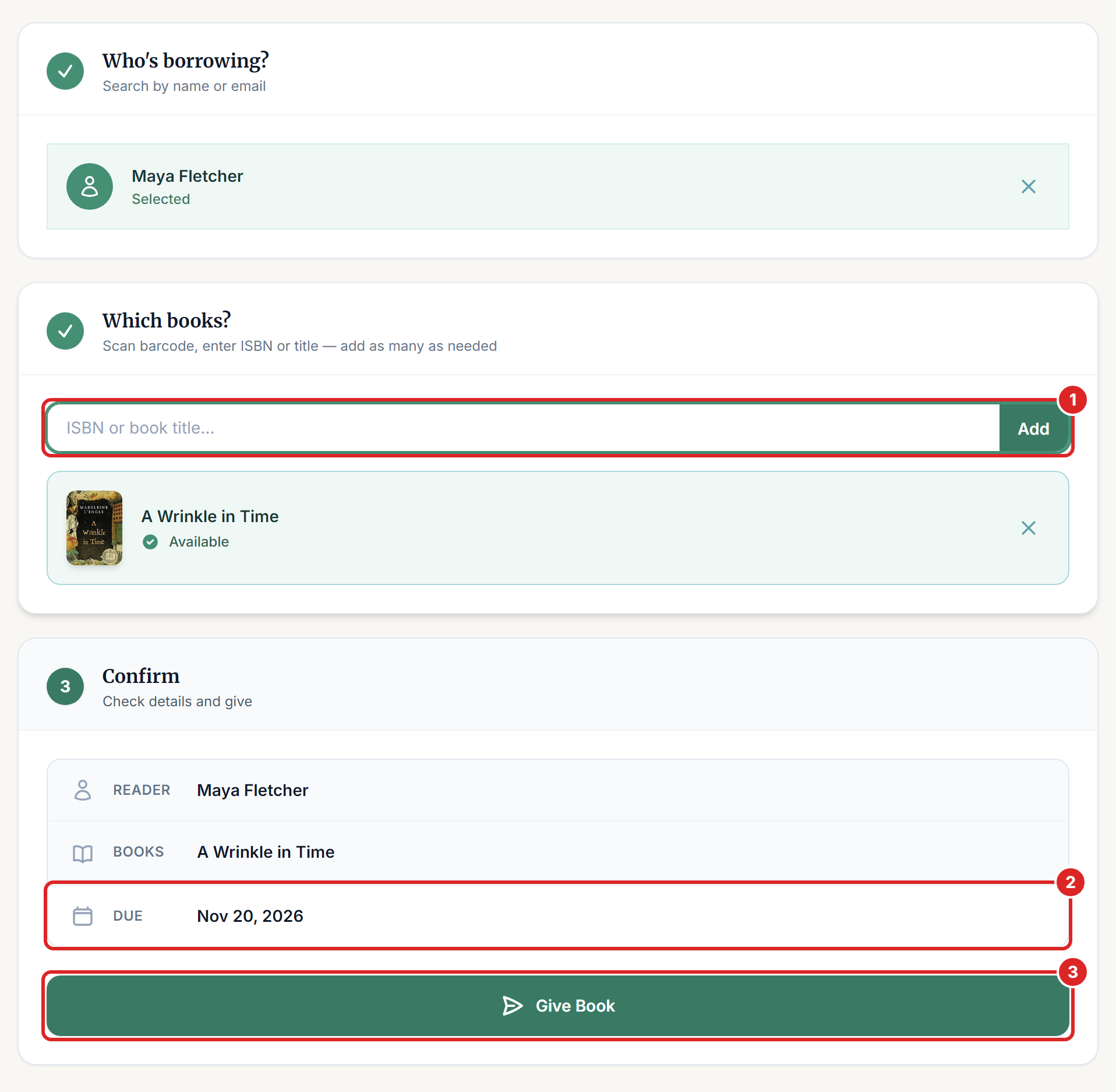
The numbers match the picture below.
Under Which books?, scan the barcode, or type the ISBN or title, and press Enter. Each book appears below the box. Repeat for every book the reader is taking. Select the X beside a book to take it off.
Check the Due date under Confirm. It comes from your library's loan period.
Select Give Book.
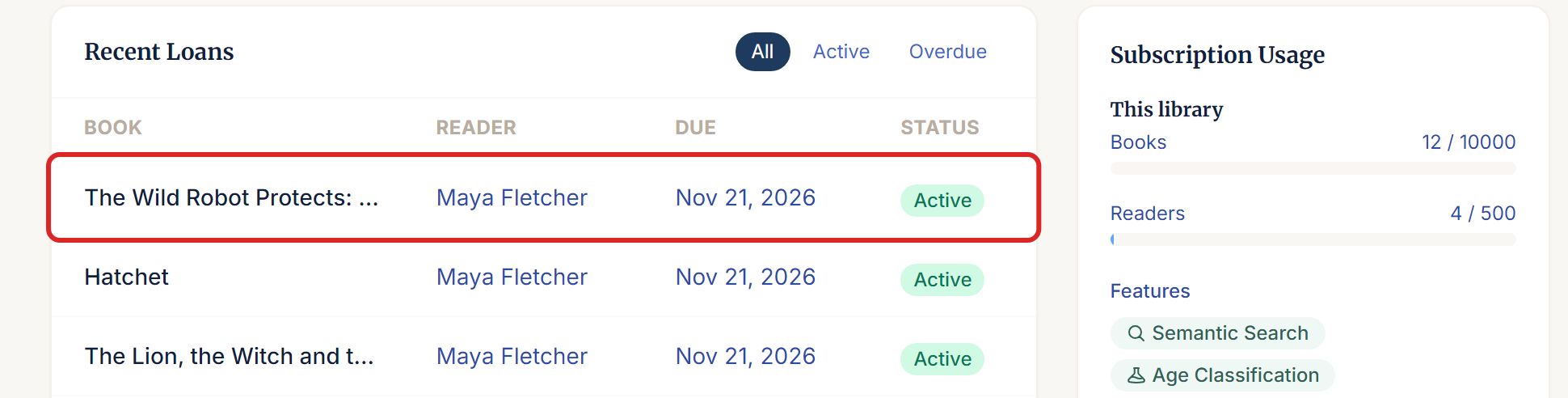
You return to the Dashboard, and the book appears at the top of Recent Loans. After lending several books at once, look down the list to make sure each one is there.
Part of a title is enough for the search, but if several of your books match, you get the first one. Check the title that appears. If it's wrong, select the X and search by ISBN.
You don't choose a copy. If you have several copies of a book, the system picks an available one.
If something goes wrong
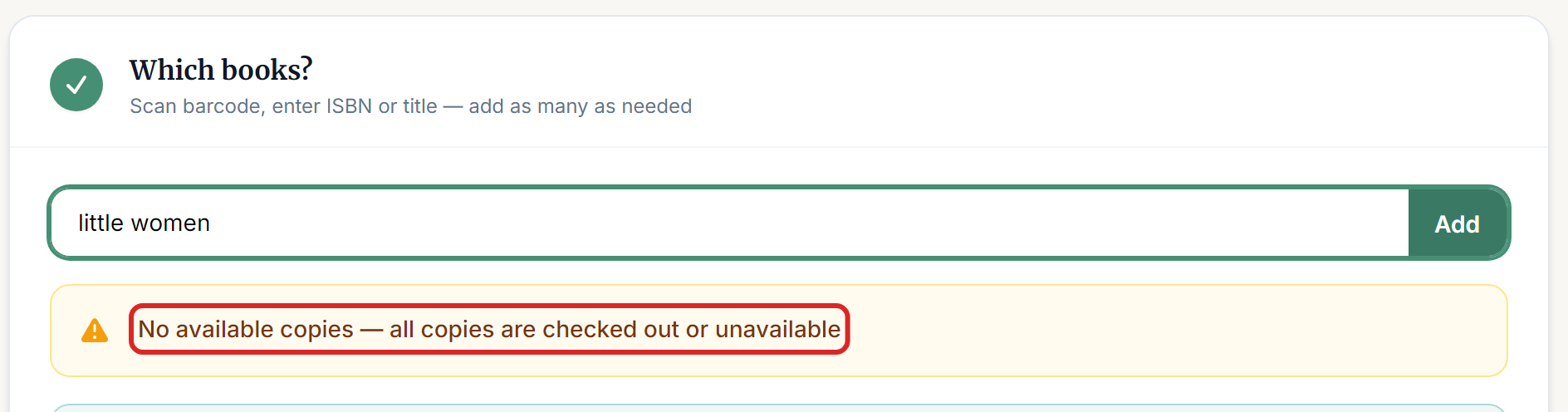
"No available copies — all copies are checked out or unavailable" Every copy is out, damaged, lost or held for a reservation. Open the book and select the Copies tab to see where each one is. If you're holding a copy that shows as checked out, it was probably never returned in the system. Return it first, then lend it.
"This reader has an overdue book. It must be returned before they can borrow more" Your library blocks borrowing while a reader has an overdue book. Return that book first. If you want to allow this, turn off Block Borrowing When Overdue in your lending rules.

"This reader has reached the library's limit on books checked out at once" The reader needs to return something first, or you can raise Books per Reader in your lending rules. There's no way to override the limit for a single loan.
"No book found matching '...'" Check the spelling, or try the ISBN. If you still get this, the book isn't in your library yet, so add it first.
The reader isn't in the search results. Try their email, or search the Readers page. Add them as a new reader if they aren't there.
"Please select a reader and at least one book before issuing." Go back and pick the reader from the list. Typing the name isn't enough, you need to select it.
"This copy already has an active loan" or "This copy is not available" Someone else, or a reader at a kiosk, took this copy a moment ago. Refresh the page and try again.