The Circulations page lists every loan in your library, past and present. Use it to see who has what, chase overdue books and extend loans.
Find the loans you need
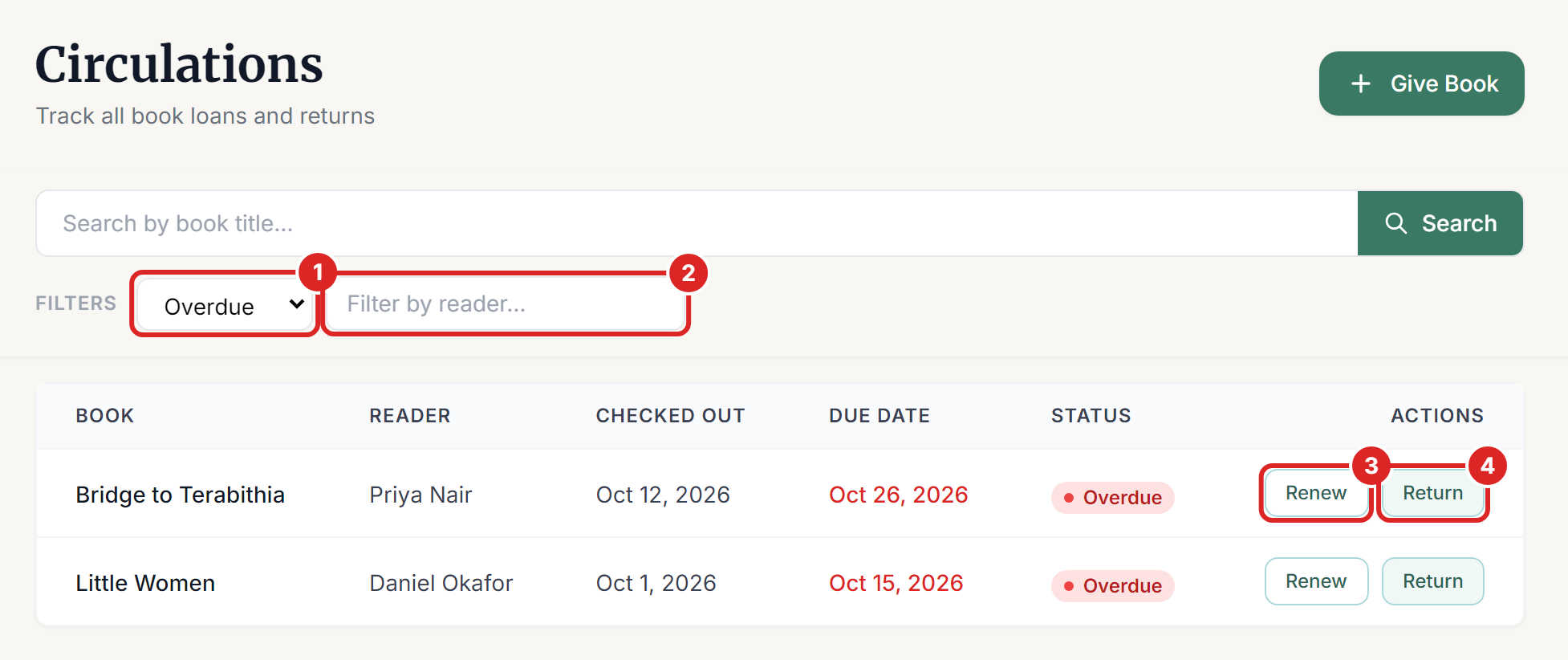
Select Circulations in the left menu. Then narrow the list:
- Use the status filter to show Active, Renewed, Overdue, Returned or Lost loans.
- Type in Filter by reader to see one person's loans.
The search box at the top looks for book titles.
The Dashboard shows a count of overdue loans too, and you can switch Recent Loans to Overdue.
Overdue books
A book is overdue once its due date has passed, and the row shows the date in red. You don't need to do anything to send reminders. Readers get reminder emails by themselves as the due date gets close, on the day, and once the book is late.
There are no fines. Whether an overdue book stops a reader from borrowing is up to you, through Block Borrowing When Overdue in your lending rules.
Renew a loan
Select Renew on the loan's row (number 3 in the picture above). The due date moves forward by one loan period, counted from the old due date. A 14-day loan due on November 21 becomes due on December 5, for example.
You can also renew from the reader's page, on the Overview tab. Readers can renew for themselves on a kiosk or through their reservation portal.
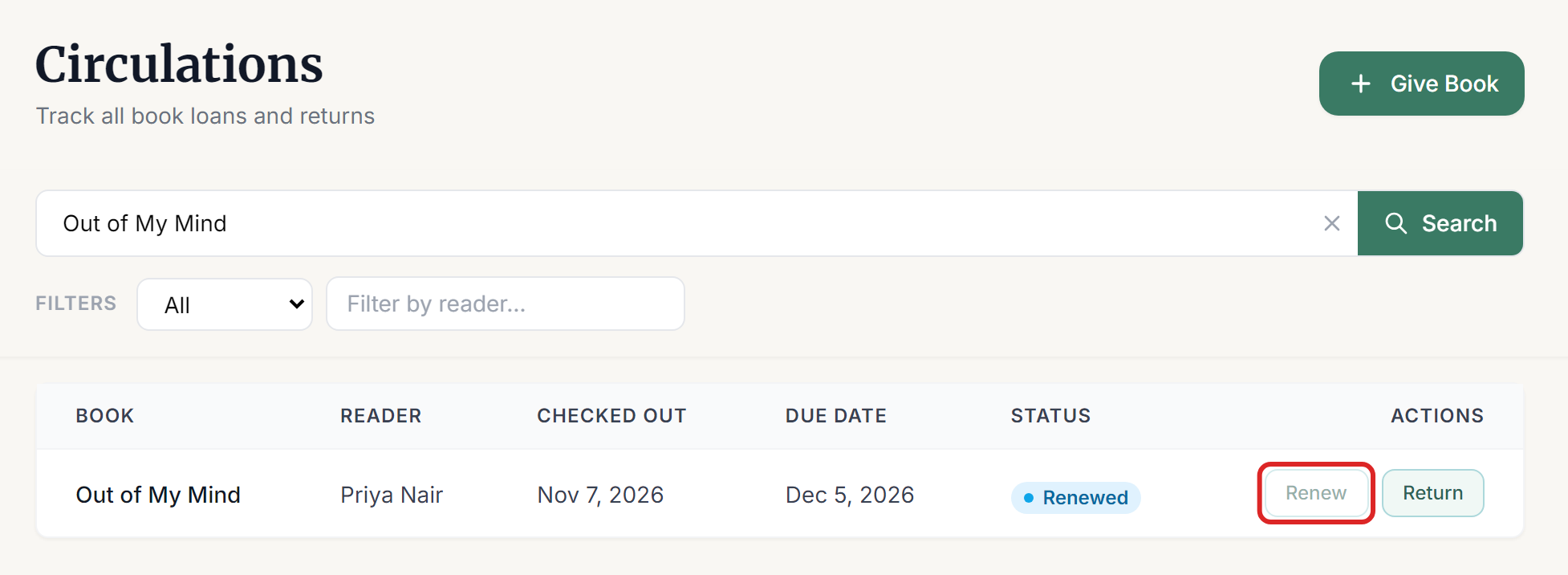
When a loan has used all its renewals, the Renew button turns grey. Hold your pointer over it to see the reason, such as Renewal limit reached (1 of 1).
Mark a book as lost
Select Books in the left menu and open the book. Then:
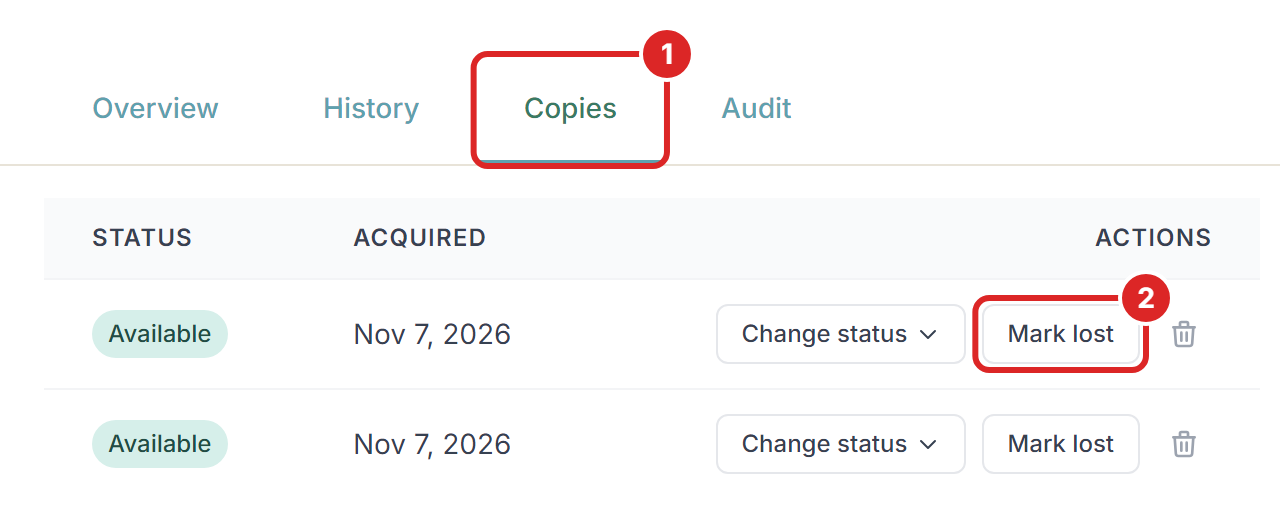
- Select the Copies tab.
- Select Mark lost on the right copy and confirm.
If the copy was out on loan, the loan closes as Lost and the reader no longer has it checked out. The copy can't be lent until it's found. A copy held for a reservation can't be marked lost, so cancel the reservation first.
If a lost book turns up, you have two choices:
- If a reader hands it back, use Return a Book as usual.
- If you find it on the shelf, open the Copies tab and select Mark found. The copy is available again, and the old loan stays as Lost.
Damaged books
Select Change status on the Copies tab to mark a copy as damaged or in repair. It can't be lent until you change it back to available. You can only do this while the copy isn't on loan, so return it first.
If something goes wrong
- "This loan has reached the library's renewal limit. It must be returned." The reader has used all their renewals. You can raise Renewals per Loan in your lending rules, which applies to every loan.
- "Another reader has reserved this book, so it can't be renewed. It must be returned by the due date." Someone is waiting for this book. Ask the reader to bring it back so that it can go to the next person.
- "This reader has an overdue book, so their loans can't be renewed until it is returned." Your library blocks this. Return the overdue book, then renew the others.
- "Only a book that is still checked out can be renewed" The loan has already been returned or marked lost.
- "This loan was just changed by someone else. Refresh and try again." Another staff member or a kiosk changed the loan at the same moment. Refresh the page and look at it again.
- "This copy is held for a reservation. Release the hold before marking it lost." Open the reservation and cancel it, then mark the copy as lost.